Transfer Function
#xfer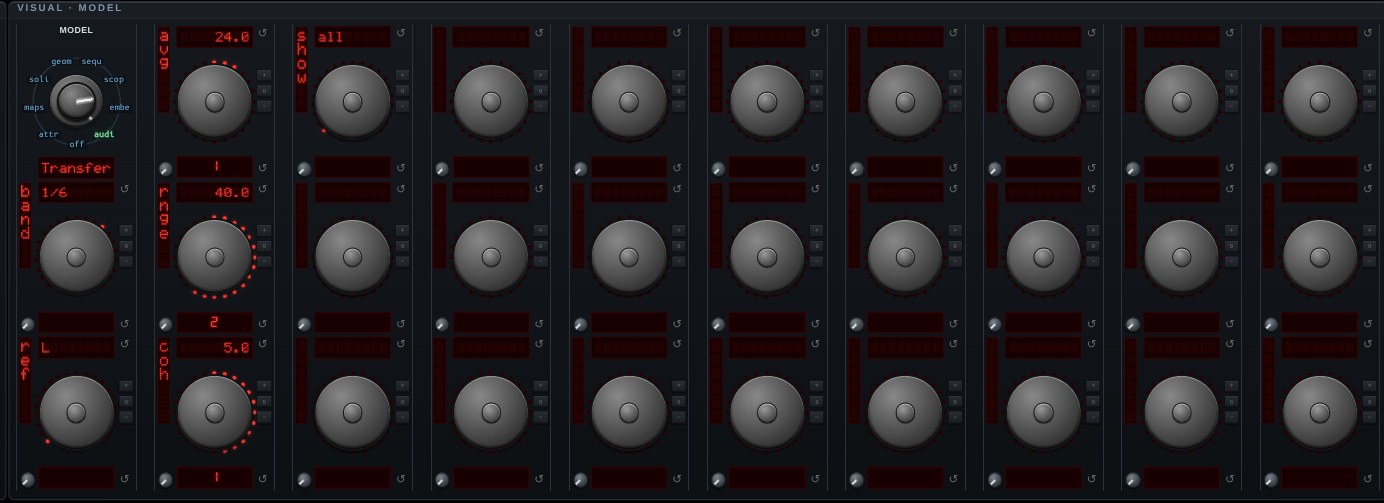
Transfer Function — what the thing between two channels did to the sound. Every other measurement here asks about ONE signal; this one asks about the RELATIONSHIP between two, which is the question a system is actually tuned by. Send a signal into a loudspeaker, a room, a filter or a cable, capture what comes back, and read what happened in between. That is what a system-tuning rig does, and chaosrack already carries two channels end to end.
MAGNITUDE is the frequency response in dB — flat is a system that changed nothing. PHASE is how far the output lags the input; a pure DELAY is a phase that falls linearly with frequency, and the slope IS the delay, which is what the DLY readout fits and what gets dialed into a delay line to line a speaker up. COHERENCE is the number that says whether to believe the other two: 1 means the output is fully explained by the input, and noise, a second source, a nonlinearity or a system that moved during the measurement all drive it down. A dip in the magnitude with the coherence still high is the system; the same dip with the coherence collapsed is the measurement giving up, and the curves are drawn together so the two can be told apart.
AVERAGING IS NOT OPTIONAL. From a single window coherence is exactly 1 at every frequency — for any two signals whatever, including two unrelated noises — so a display built on one window is a row of perfect scores that means nothing. AVG sets how many windows are folded in before the result is shown, and the curves are drawn only where the coherence clears COH and the stimulus actually reached the band.
REF says which channel is the reference, BAND how finely the bands are smoothed, RNGE the magnitude scale, SHOW which curves are drawn. Feed it pink noise or the log sweep from a generator (its pink and swp waves).
Open Transfer Function in chaosrack →It opens running, on the model selector, with its own knobs. Rotate it by dragging, zoom with the wheel, and turn the parameters to see what the figure does when the system changes.