RTA — Octave Bands
#rta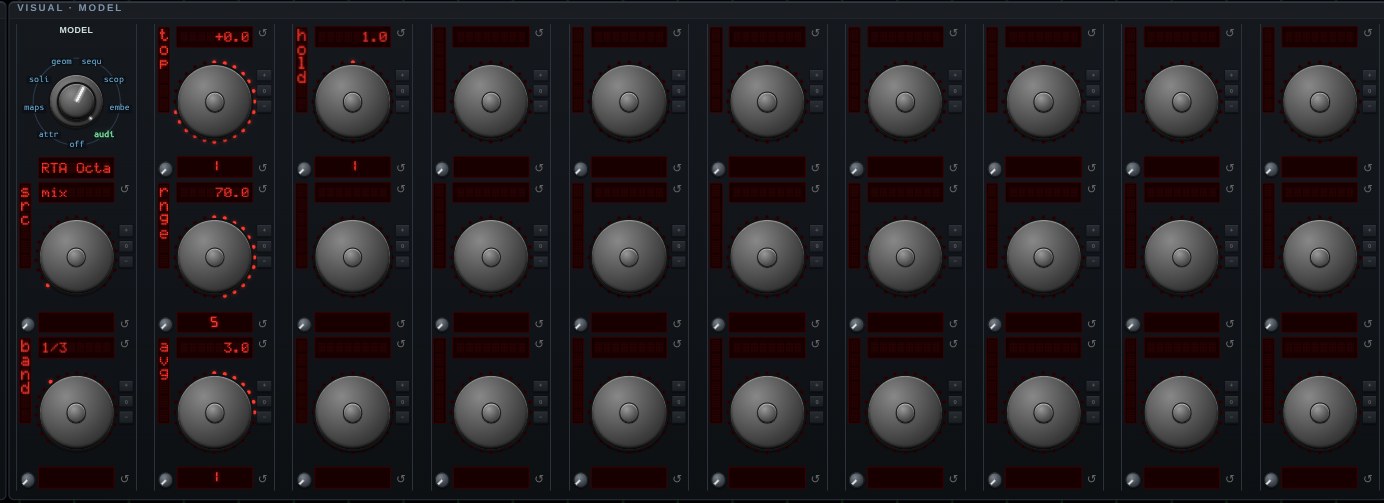
RTA — Octave Bands. The real-time analyzer a room is measured with: the spectrum split into fractional-octave bands and shown as a bar per band. A spectrogram shows every bin, which is right for watching sound move and wrong for asking what a room is doing to it — linearly spaced bins put nine-tenths of the picture above 2 kHz and squeeze the bass into a few pixels. Bands of equal RATIO drawn at equal widths is a logarithmic frequency axis, which is how hearing is organized and how every acoustics standard reports.
BAND picks the width: 1/1 is a hi-fi graphic equalizer's ten, 1/3 is what room measurement and ISO use, and the two finer settings find a single narrow resonance — a 1/12-octave band is about 6% wide, roughly the ear's own resolution in the midrange. The centers are the standard ones (ISO 266 / ANSI S1.11, the base-ten series), so a reading here is comparable with anybody else's.
FEED IT PINK NOISE from a generator's pink wave: fractional-octave bands get wider in hertz as they go up, so equal power per octave is what reads FLAT — a flat display on pink noise is the definition of a flat system, and it is the convention room measurement is done in. White noise rises 3 dB per octave on the same display, which is the difference between the two and the reason pink is the one used.
TOP and RNGE place the scale in dBFS; AVG is the meter's averaging, quick to rise and slow to fall as every level meter is; HOLD is the peak-hold decay in dB per second, which is what makes the display readable on music rather than only on noise — music excites part of the band at a time and the held peaks are the envelope that accumulates into the answer. SRC picks the channel.
Open RTA — Octave Bands in chaosrack →It opens running, on the model selector, with its own knobs. Rotate it by dragging, zoom with the wheel, and turn the parameters to see what the figure does when the system changes.